iGive.com
IGive.com is a new way to support SOCCGS when you are shopping online.
First, you will need to sign up for an account on iGive.com. To do that, please use this link:
This link will take you to the sign up page.
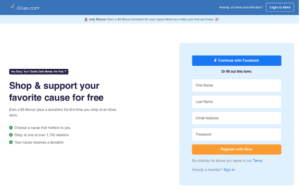
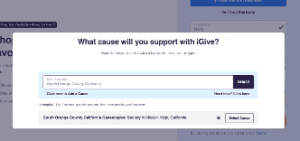
Once you have signed up for an account, you will be asked for the cause you would like to support. When it asks for the cause, type in “South Orange County California”, and hit the “Search” button.
You will then see our society list, click on the “Select Cause” button.
Now you are ready to start shopping and contributing to SOCCGS.
How do I shop to support my cause?
First, you’ll need to start your shopping by visiting iGive.com or by having the browser extension installed. Otherwise, retailers won’t know that you want to support your cause with iGive.
If you start shopping directly on a retailer, and have not completed your purchase, you can always leave the retailer’s site, visit iGive.com, and click back to the retailer’s site. In most cases your cart will still have your items in it, and you’ll then be shopping to support your cause.
Where can I shop?
iGive partners with thousands of stores and we’re constantly adding new stores. See the full list of participating stores.
The best way to shop to support your cause is with the iGive browser extension, because you don’t have to keep track of which stores participate. Instead, as you are shopping normally, we’ll remind you to “activate” iGive automatically on participating sites.
More information is available at:
https://support.igive.com/getting-started/shopping-to-support/index.html